



 Back Home
How To Set Up A Home Office

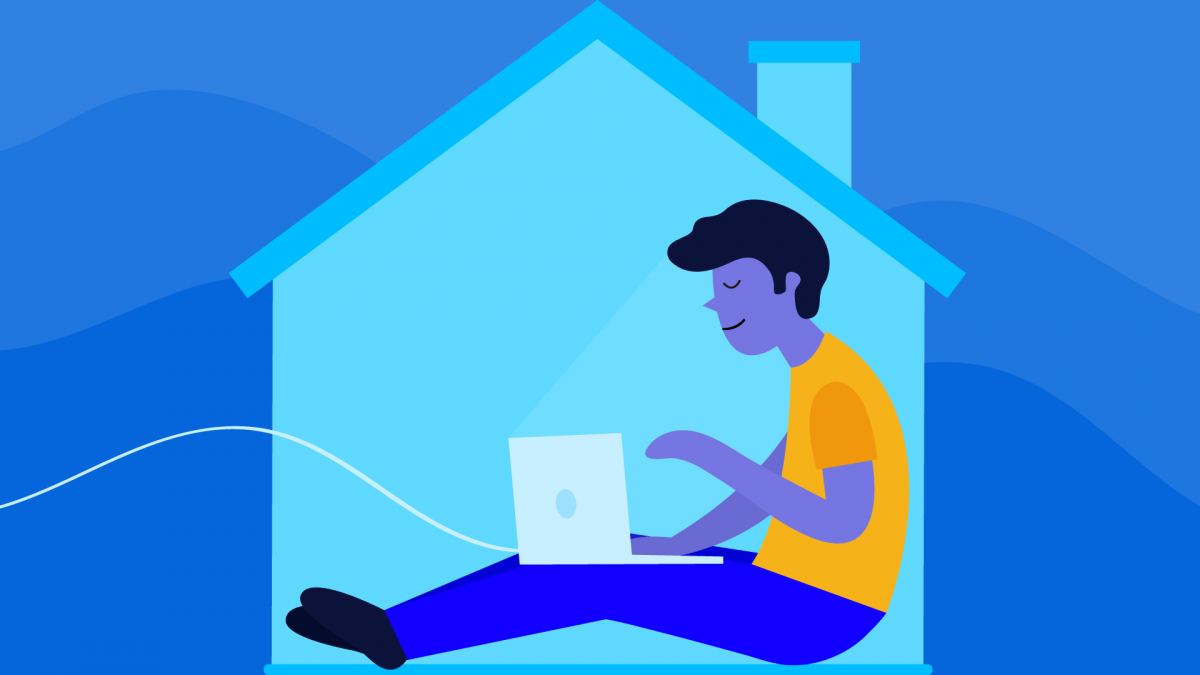
I’ve spent more than three decades with a home office. When you work at home, even part time, you discover that a makeshift desk area on a kitchen counter or the dining table isn’t the best setup. Having a dedicated home office, even if it’s compact, makes a big difference in comfort and productivity. Having a dedicated space also serves as an important signal to those who live with you that you’re ‘at work’. Create boundaries within your home that your family members understand.
Stake Out Your Spot
You need to pick a spot in your home with the fewest distractions, and where all the essentials (like electrical outlets and your modem) are close by. Modern WiFi is a wonderful thing but understand it can still be inconsistent in even the most tech-friendly neighborhoods. I anticipate that our connectivity speed will be further degraded by all the streaming and game-playing that is happening now, in addition to everyone trying to work from home as well……be patient and see if you can upgrade to a higher speed with your home Internet provider.
Also, try to find a spot near a window with some natural light so you don’t feel completely tucked away from the world. Think about storage and try to keep work-only items grouped together. Think outside the file box to find an organizational system that works for you; see what you can use around your home. It’s more important to give everything that has been sitting out in piles a permanent home than it is to buy new containers. Here are a few ideas for organizing your home office:
· A grid of clipboards on the wall can make for a handy place to keep papers organized.
· Wall-mounted cups keep frequently used supplies neat and within reach.
· Cups and bowls borrowed from the kitchen make great desktop and drawer organizers.
· Labeled, open-top baskets on shelves are great for people who like piles
· Traditional files are still useful for important documents.
Set Ground Rules with the People in Your Space
Set ground rules with other people in your home or who share your space for when you work. I say “morning,” but not everyone who works from home follows a nine-to-five schedule. Yours might be a “getting started” routine at another time of day. I want my elderly parents to be able to call me anytime, but have reminded them that “after 6” is the best time to get my undivided attention. I ask other family members and friends to respect my work hours and stick with the less obtrusive email or text for non-emergencies.
Act as if you are “going to work”. Whatever your routine was when you were going to the office, try and maintain it now that you are working from home. Exercise, shower, get dressed (not pajamas), and then “go to work”. I try and avoid eating at my desk and taking a coffee break, lunch break, etc. Use these times to reconnect with other household members and address their needs and concerns.
Think About Your Back, Feet and Shoulders
Pick a back-friendly, ergonomic chair if at all possible and always make time for exercise (don’t forget to stretch!). I prefer to stand or walk around while I am on the phone but now that my husband is working from home as well, we find that this is distracting to one another. Go outside and get some fresh air while on that call.
Although you can easily work on a laptop from anywhere, an entire day, week, or even a month spent looking down at a screen is not going to do your neck muscles any favors. If you have the space and the budget, think about upgrading to a decent-sized computer monitor to plug your laptop into. I use two monitors so that I can multitask between emails, software applications required for my work, calendars, and more.
Most desks, chairs and monitors and still designed for the average sized man. I have made adjustments by ensuring that my monitors are at eye level. You can use boxes, books, magazines or anything you have around the house to easily accomplish this…no need to be purchasing special desks, risers, etc. If your chair is not adjustable, use pillows, etc. to ensure that you are sitting at the right height to keep your back straight. I have purchased an ergonomic cushion that provides comfort and support for my spine as well as adds two includes to my seat height.
Make Friends with Your Postal Worker or Delivery Person
Thank goodness for USPS, UPS and FedEx!!! These people get bonuses at Christmas for their daily deliveries to my door. I have always been an online shopper for convenience and time-saving and now that I am getting deliveries for food, office supplies and more the visits to my front door have increased ( still can’t find toilet paper however).
Take the time to let your local postal worker or delivery person in your neighborhood know you’re now working from home if your work involves a lot of envelopes and packages. I have made a point in the past to have a few daily words with the drivers that frequent my home. It helps when my local delivery person knows I’m working at home and sending and receiving envelopes and packages on a regular basis. In today’s world something as simple as leaving a note on your door explaining your situation will work and be appreciated. My UPS driver told me a couple of days ago that I can leave the package outside my front door with a note to pick it up or if I see him in the neighborhood to just hand him the box…..no need to go out to the UPS store!!!
Pump the Brakes with Social Media
Social media can be absolute poison if you don’t limit yourself. It’s definitely good to stay on top of the news during these uneasy times, but if you allow yourself to be sucked into endless posts, you might look up at the clock and discover you lost three or four hours of your day.
I enjoy social media and participate for both personal and work reasons, but I have learned to use it wisely. I check it before I head to my office with my morning coffee and then again at the end of the day. That doesn’t mean you can’t laugh at someone’s funny online story, or post about your favorite sports team or TV show. Just try to limit the damage during work hours.
Freshen up.
Give yourself a big pat on the back, because the hardest work is now behind you! Today is all about making your home workspace fresh and clean, so it will be a healthier, more pleasant place to spend time in.
· Vacuum your home office from top to bottom. Use an attachment to clean window treatments, high corners and fabric lamp shades.
· Wipe down shelves and surfaces with a damp microfiber cloth.
· Use monitor wipes to clean your screens.
· Use a keyboard cleaner to blow dust from between the keys or gently clean them with cotton swabs.
· Bring in some fresh plants to help clean the air.
Straighten up your home office before you are done working each day. Bring the coffee cups back to the kitchen and completely clear your desktop.
We are all anxious and a routine will help keep our life as “normal” as possible in these difficult times. Don’t be hard on yourself if you are not as productive as when in the office. Working from home is a mindset and a discipline and cannot replace a normal work environment. It takes time, discipline and commitment to find the right balance for your personal and family needs.
 Kim N. Bregman